Your scraped data in Google Sheets. No duplicates.
Send any Apify dataset to a Google Sheet, every day, without copy-paste. New rows are added, existing rows are updated, duplicates are skipped.
Built to finish the job
Four modes
Pick what fits your sheet.
No duplicate rows
Run it on a schedule: rows already in the sheet are skipped automatically.
Real upsert
Rows are matched by a key such as url or id and updated in place. Your formulas in other columns stay untouched.
Doesn't give up
Writes in batches and retries Google's rate limits automatically. One bad batch never sinks the whole run.
Errors you can act on
"Share the sheet with this email as Editor": every error says exactly what to fix, before anything is written.
Nested data, flat columns
JSON like address.city becomes its own column; lists are joined with "; ".
Five minutes, once
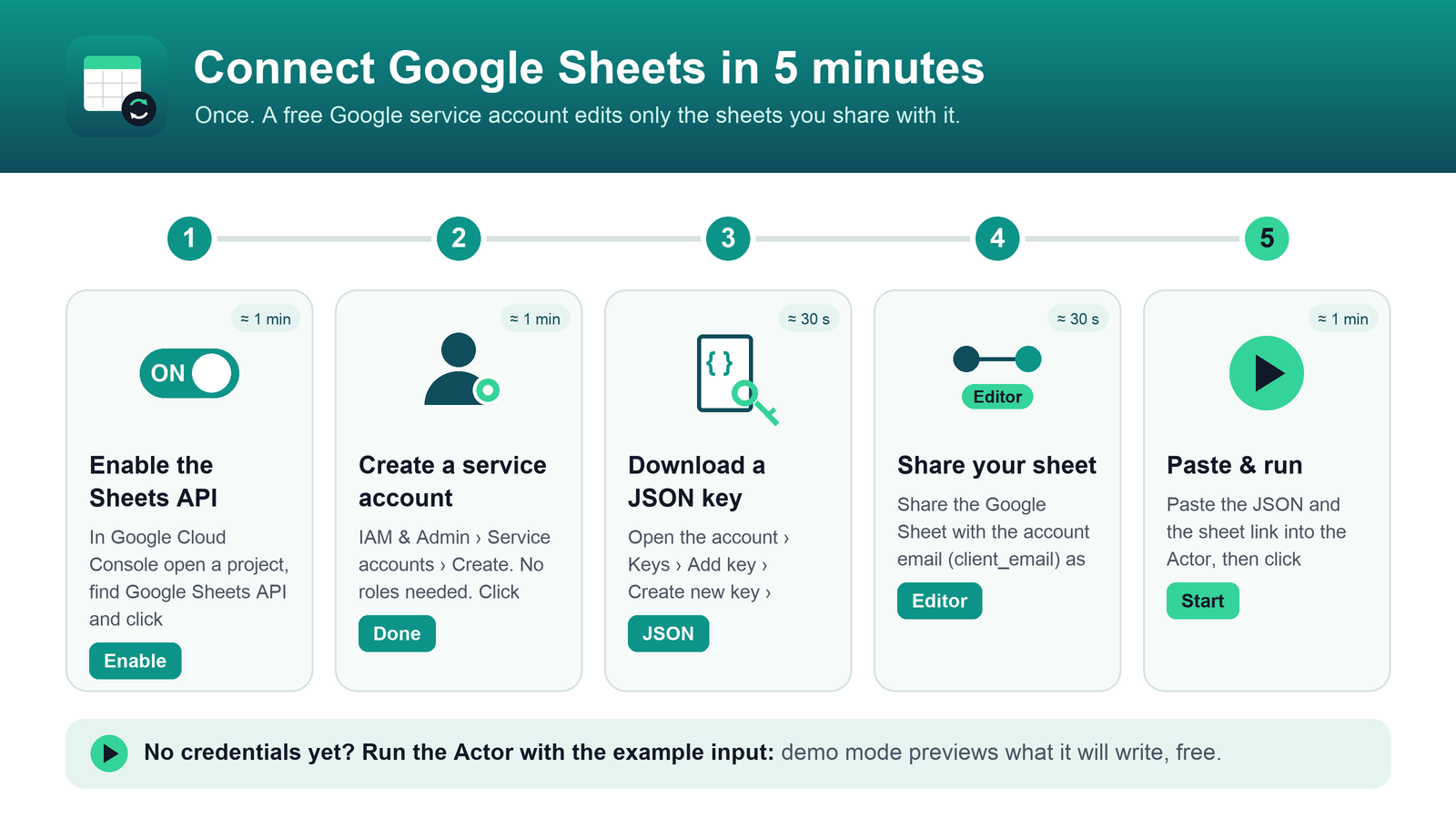
A free Google service account lets the Actor edit only the sheets you share with it. You don't need any other account or app.
Pay only for rows written
Skipped duplicates, failed rows, retries, dry runs and demo mode cost nothing extra. Set a spending limit and the Actor stops cleanly when it's reached.
FAQ
Do I need to code?
No. You fill in a form on Apify: the sheet link, your data and the service account key. Setup is explained step by step.
Can I try it without setting anything up?
Yes. Run it with the example input: demo mode shows a preview of the header and rows it would write, without touching any sheet.
Is my Google account safe?
The Actor signs in as a service account that can open only the sheets you explicitly share with it. The key is stored encrypted by Apify and never written to logs.
Which data can I send?
Any Apify dataset (for example from a Google Maps, e-commerce or listings scraper) or rows pasted as JSON.
Stop pasting. Start syncing.
Open the Actor on the Apify Store, run the free demo, then connect your sheet.
Open on Apify Store →